The short answer: For most stores that sell physical products, WooCommerce is the best WordPress ecommerce plugin. It’s free, open source, and has the largest ecosystem of extensions. If you sell digital products or software, look at Easy Digital Downloads. If you mainly sell subscriptions or memberships and want fewer plugins to maintain, SureCart is worth comparing. If you’d rather have a hosted store you can drop into WordPress, consider Ecwid.
The rest of this guide explains how these options differ, where each one falls short, and which add-ons a WooCommerce store actually needs. Most stores need far fewer plugins than “top 15” lists suggest.
Quick comparison
| Plugin | Best for | Free / paid | Where it runs | Main limitation |
|---|---|---|---|---|
| WooCommerce | Physical products, large catalogs, custom stores | Free core; many paid extensions | On your WordPress site | Advanced features often need paid extensions; you maintain hosting, updates and performance |
| Easy Digital Downloads | Ebooks, software, templates, digital files | Free core; paid passes | On your WordPress site | Built for digital goods; free version adds a 3% fee on payments through its built-in Stripe and PayPal integrations |
| SureCart | Subscriptions, digital products, simpler physical stores | Free plan; paid plans | Plugin plus SureCart cloud platform | Needs a SureCart account; free plan carries a 2.9% transaction fee |
| Ecwid by Lightspeed | Hosted store embedded in WordPress; selling on several channels | Paid plans | Ecwid’s servers | Store data lives outside WordPress; some features (e.g. store sitemap) need a paid plan |
| WP Simple Pay | Selling a few items or services via Stripe payment forms | Free (Lite); paid Pro | On your WordPress site, using Stripe | Not a store: no cart or catalog; Stripe only; Lite adds a 3% fee |
Ecommerce platform vs. add-on plugin: what’s the difference?
People who search for “WordPress ecommerce plugins” are usually looking for one of two things:
- An ecommerce platform plugin turns WordPress into a store. It adds products, a cart, checkout, orders and customer accounts. You need exactly one of these. WooCommerce, Easy Digital Downloads, SureCart and Ecwid are all in this group.
- An add-on plugin extends a platform you already run: a payment gateway, a shipping-rate calculator, inventory tools, review requests. Add-ons are built for a specific platform, so a WooCommerce shipping plugin won’t work with SureCart.
Choose the platform first. The add-ons you need follow from that choice.
The best WordPress ecommerce plugins (store platforms)
WooCommerce: best for most physical-product stores
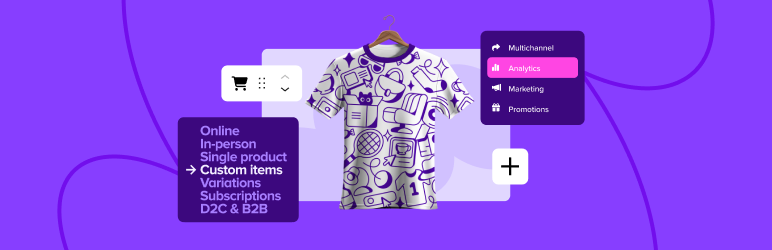
WooCommerce is the open-source ecommerce plugin maintained by Automattic, and by far the most widely installed: WordPress.org lists 7+ million active installations. The core plugin is free and handles physical and digital products, variations, a cart and checkout, orders, coupons and basic reports.
Why choose it
- Your store data stays in your own WordPress database, and you can export it.
- Hundreds of free and paid extensions on the WooCommerce Marketplace, plus many more from third-party developers.
- More than 100 payment gateways, including the official Stripe and PayPal integrations, and WooPayments in supported countries.
- Developer-friendly: hooks, a REST API and a CLI.
Limitations to know about
- Subscriptions, bookings and memberships need paid extensions.
- You’re responsible for hosting, updates, backups, security and speed. Larger stores need better hosting than a typical blog.
- Each extra extension is another thing to update and another possible plugin conflict.
Best for: most physical-product stores, stores that need custom features, and anyone who wants full ownership of their store data.
Easy Digital Downloads: best for digital products and software
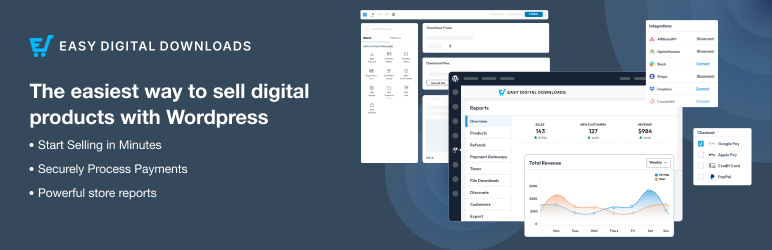
Easy Digital Downloads (EDD) is built specifically for selling digital files: ebooks, software, templates, music, photography and other downloads. It includes a cart and checkout, Stripe, PayPal and Square payments, discount codes, customer management, reports, and secure, expiring download links.
Why choose it
- Lighter and more focused than WooCommerce when you have no shipping or stock to manage.
- Strong options for software sellers, with license keys and update delivery in the paid tiers.
Limitations to know about
- Subscriptions, software licensing, content restriction and abandoned-cart recovery are paid (Pro) features.
- The free version adds a 3% fee per transaction on payments through its built-in Stripe integration (EDD announcement), and recent user reports say the same now applies to PayPal. A paid pass removes it. Check current terms on the EDD pricing page before choosing.
- It is not designed for physical products with shipping.
Best for: creators and developers who sell only, or mostly, digital products.
SureCart: best for subscriptions and a lighter footprint
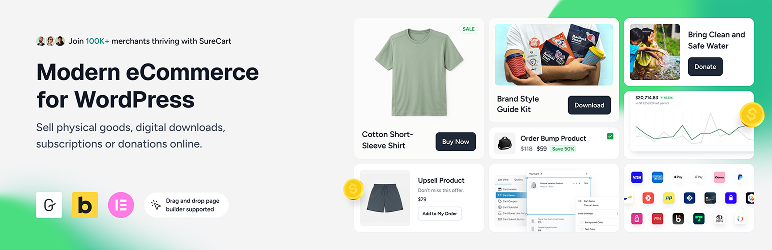
SureCart works differently. The plugin connects WordPress to SureCart’s cloud platform, which handles checkout, payments, subscriptions and taxes. Products and checkout pages live on your site, but much of the processing doesn’t run on your server.
Why choose it
- Subscriptions are included: trials, installment plans, upgrades and downgrades with proration, failed-payment retries, and customer self-service.
- Order bumps, upsells, abandoned-cart recovery, coupons and an affiliate program are built in rather than added through separate plugins.
- Works with Stripe, PayPal, Mollie, Razorpay and Paystack.
Limitations to know about
- You need a SureCart account; the plugin can’t work without the platform.
- According to SureCart’s FAQ, the free (Launch) plan charges a 2.9% transaction fee on top of payment processor fees. Paid plans remove it.
- The ecosystem of third-party add-ons is much smaller than WooCommerce’s.
Best for: subscription businesses, course creators, service businesses, and smaller stores that want fewer plugins to maintain.
Ecwid by Lightspeed: best hosted option
Ecwid embeds a store that is hosted on Ecwid’s servers into your WordPress pages. Ecwid handles updates, security and backups, and the same catalog can feed Facebook, Instagram and marketplaces.
Why choose it
- Little technical maintenance for you.
- Built-in carrier shipping rates and automated tax options.
- One catalog across several sales channels.
Limitations to know about
- Your store data lives with Ecwid, not in WordPress.
- Features depend on your plan. The WordPress.org listing says plans start from $5/month, and some features (such as a store sitemap) are paid only. Check Ecwid’s current pricing.
- You have less control over design and integration than with a native WordPress store.
Best for: owners who want a working store without managing ecommerce software, or who sell across several channels.

WP Simple Pay: for when you don’t need a full store
If you sell a handful of products, take deposits, or collect payments for services, you may not need a cart at all. WP Simple Pay adds Stripe payment forms (one-time and recurring) to any page.
Limitations: it is not a store. There is no catalog, no cart and no inventory, it supports only Stripe, and the free Lite version adds a 3% fee per transaction.

When WooCommerce is the right choice, and when it isn’t
WooCommerce is usually the right choice if:
- you sell physical products that need shipping, stock and variations;
- you expect to need custom features later (wholesale pricing, bookings, product configurators);
- you want full control of your data and design;
- you or your developer are comfortable maintaining a WordPress site.
Another option may fit better if:
- you sell only digital products: Easy Digital Downloads is more focused;
- your business is mainly subscriptions and you want them built in: SureCart;
- you don’t want to maintain ecommerce software: Ecwid;
- you only need to take a payment, not run a store: WP Simple Pay.
Essential WooCommerce add-ons, by use case
If you chose WooCommerce, you don’t need dozens of extensions. Start with the gaps that affect your customers or your operations, and add more only when a real problem appears. The plugins below are examples per category, not a list to install in full.
Essential for nearly every store: a payment gateway, shipping rules that match your real costs (if you ship), backups, and an SEO plugin.
Add when needed: inventory tools, review requests, email automation, product feeds.
Payments
WooCommerce needs at least one payment gateway. The two most common are maintained by WooCommerce itself:
- WooCommerce Stripe Payment Gateway (~700,000 active installs): cards, Apple Pay and Google Pay, Link, buy now/pay later and many local payment methods, in the 46 countries where Stripe is available.
- WooCommerce PayPal Payments (~800,000 installs): PayPal, Pay Later, Venmo (US) and card processing.

Pick the gateway your customers prefer and that operates in your country. Payment processors charge their own transaction fees. Check their pricing pages, not just the plugin listing.
Shipping
WooCommerce’s built-in flat rate and free shipping options are enough for simple stores. If your costs depend on weight or order value, Flexible Shipping (~100,000 installs) adds table-rate rules based on cart weight and cart total in the free version, plus a “left for free shipping” notice. Rules based on shipping classes, quantity, dimensions or user role need the paid PRO version.
Inventory
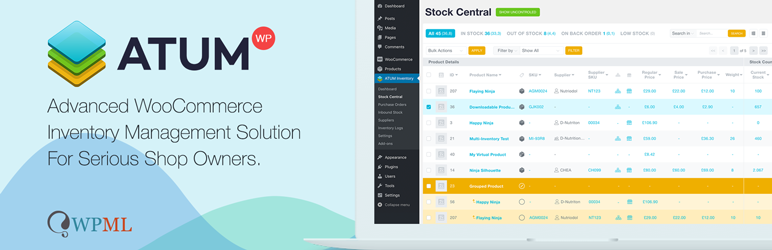
WooCommerce tracks stock per product. If you manage suppliers or reorders, ATUM Inventory Management (~10,000 installs) adds a spreadsheet-style Stock Central screen for bulk-editing stock, prices and SKUs, plus suppliers, purchase orders and inventory logs in the free version. Multi-inventory and other advanced features are paid add-ons.
Reviews and social proof
Customer Reviews for WooCommerce (~80,000 installs) sends automated review-request emails after an order is completed and adds photo and video reviews, review filtering and a product Q&A section. An optional external service can verify reviews, and some features need the Pro plan. Reviews are user-generated content, but more of them don’t guarantee rich results in Google.

Email marketing and abandoned carts
MailPoet (~500,000 installs, maintained by the WooCommerce team) builds newsletters and automated emails inside WordPress, including abandoned-cart, first-purchase and product-specific follow-ups. The free download covers up to 1,000 subscribers. Advanced automations and detailed statistics need a paid plan, and no tool can guarantee inbox placement. If you already use an external email platform, its WooCommerce integration may be a better choice.

Google Shopping and product listings
Google for WooCommerce (~800,000 installs) syncs your products to Google Merchant Center so they can appear in free listings across Google, and optionally runs Google Ads campaigns. Some users report that its automatic conversion tracking conflicts with existing Google Tag Manager setups, so review the tracking settings if you already use GTM.

SEO, speed and analytics
- SEO: an SEO plugin handles titles, sitemaps and product schema. See our Rank Math review and guide to installing and configuring SEO plugins.
- Speed: cart, checkout and account pages must not be cached. Compare options in our guide to WordPress caching plugins, and see why WordPress sites slow down.
- Search visibility: set up Google Search Console to see which products and categories appear in search.
Recommended setups
Beginner selling a few physical products
WooCommerce + one payment gateway (Stripe or PayPal) + WooCommerce’s built-in shipping + an SEO plugin + backups. Stop there until you have orders.
Growing physical-product store
Add Flexible Shipping (if rates depend on weight or order value), review requests, abandoned-cart emails and Google product listings. Add inventory tools once you manage suppliers or restocking.
Digital products
Easy Digital Downloads, or SureCart if you also sell subscriptions. Budget for the paid tier if the free version’s transaction fee would cost more than a license.
Subscriptions and memberships
Compare SureCart’s built-in subscriptions with WooCommerce plus its paid Subscriptions extension. The right answer depends on how much else your store needs.
Hands-off store
Ecwid, if you’d rather not maintain ecommerce software.
How to choose: practical selection criteria
- What you sell. Physical, digital, subscriptions, services or bookings. This narrows the platform choice more than anything else.
- Total cost, not the plugin price. Add hosting, paid extensions or plans, payment processing fees, and any platform transaction fee (EDD and WP Simple Pay free versions; SureCart’s free plan).
- Who maintains it. Self-hosted platforms (WooCommerce, EDD) need regular updates and testing. Hosted or cloud options (Ecwid, SureCart) shift some of that work away from you.
- Data ownership and portability. Check whether you can export products, customers and orders if you leave.
- Payment gateways in your country. Confirm your preferred processor supports your location and currency.
- Update history and support. On WordPress.org, check the “Last updated” date, the “Tested up to” version and how many support threads are resolved.
- Performance. Each plugin adds code. Install only what solves a real problem.
Common mistakes to avoid
- Installing every “must-have” plugin at once. More plugins mean more updates, more conflicts and a slower site.
- Choosing on install count alone. Popular doesn’t mean right for your products.
- Ignoring transaction fees in “free” plugins. A 2.9–3% platform fee can cost more than a paid license once you have steady sales.
- Caching the cart or checkout. It causes wrong totals and failed orders.
- Skipping backups and staging. Test plugin updates on a staging copy before updating a live store.
- Running two plugins that do the same job, such as two SEO plugins or two caching plugins.
FAQs
What is the best ecommerce plugin for WordPress?
For most stores selling physical products, WooCommerce: it’s free, widely supported and highly extensible. For digital-only stores, Easy Digital Downloads is more focused. SureCart suits subscription-heavy businesses, and Ecwid suits owners who want a hosted store.
Is there a free WordPress ecommerce plugin?
Yes. WooCommerce’s core plugin is free, and Easy Digital Downloads and SureCart have free versions or plans. “Free” rarely means zero cost: payment processors charge per transaction, some free tiers add a platform fee, and many features need paid extensions.
What is the best WordPress shopping cart plugin?
WooCommerce, Easy Digital Downloads, SureCart and Ecwid all include a shopping cart. The best one depends on what you sell. If you only need to take a payment for one item or service, a payment-form plugin like WP Simple Pay can replace a cart altogether.
Do I need WooCommerce to sell on WordPress?
No. Easy Digital Downloads, SureCart and Ecwid all work without WooCommerce. WooCommerce add-ons, however, require WooCommerce.
How many plugins does a WooCommerce store need?
There’s no fixed number. A basic store can run on WooCommerce, one payment gateway, an SEO plugin and a backup solution. Add more only to solve a specific problem.
Final recommendation
Start by choosing one platform that fits what you sell: WooCommerce for most physical-product stores, Easy Digital Downloads for digital goods, SureCart for subscriptions with fewer moving parts, or Ecwid for a hosted store. Then add only the extensions your store needs, starting with payments and shipping, and review your plugin list every few months.